
Hard Disk Sentinel Linux Edition (FREE) |  |
By using Hard Disk Sentinel Linux console edition, it is possible to examine the temperature and health information (and more) of IDE, S-ATA (SATA II also), SCSI and USB hard disks connected to motherboard or external controller cards. The user must be root to use this software or start it with sudo.
To display hard disk / SSD status in a graphical interface, download Hard Disk Sentinel Linux GUI (Graphical User Interface) package. Thanks for Gregory25!
To simplify starting Hard Disk Sentinel Linux Edition, it is possible to use one of the Linux Desktop Installers for the actual Linux distribution which allows starting directly from the desktop without the need of starting manually from a console. Thanks for Marc Sayer for these packages!
To receive daily status reports, please check the HDSentinel_EmailUtil.zip package. Thanks for Raul del Cid Lopez for this script!
List of features
- display hard disk / solid state disk information on the terminal
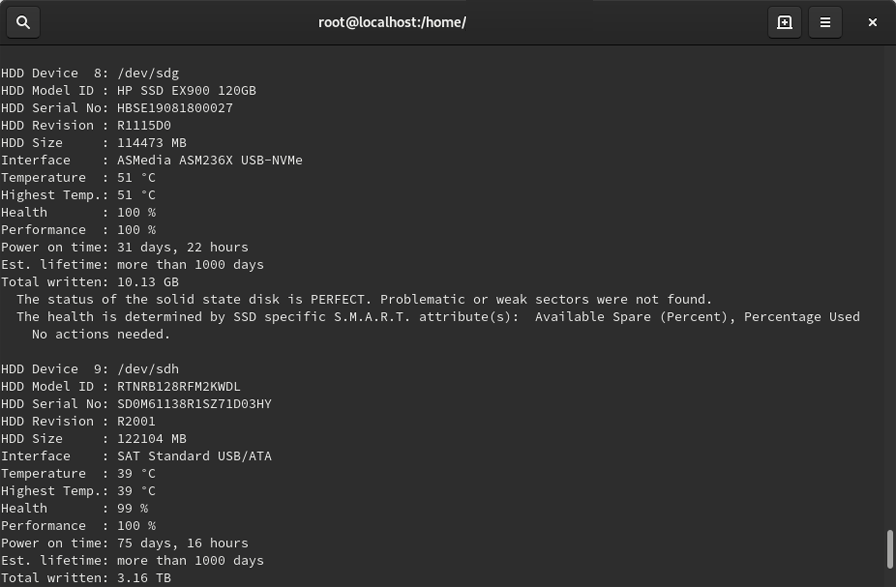
- create comprehensive report about the disk system, including both hard disk and SSD specific features (for example, media rotation rate, TRIM command, etc.)
- display and manage acoustic setting of hard disks (on supported USB disks also)
- offers outputs for both users and scripts/other applications to process
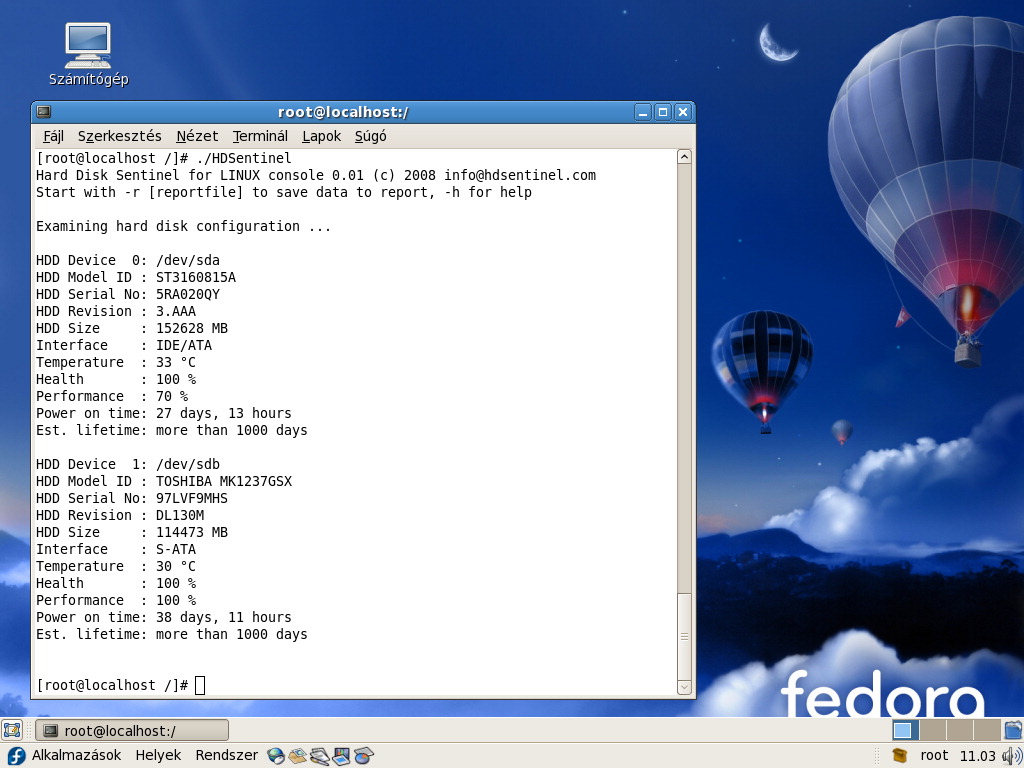
The following information are displayed:
- detected hard disk number and device name (for example /dev/sda)
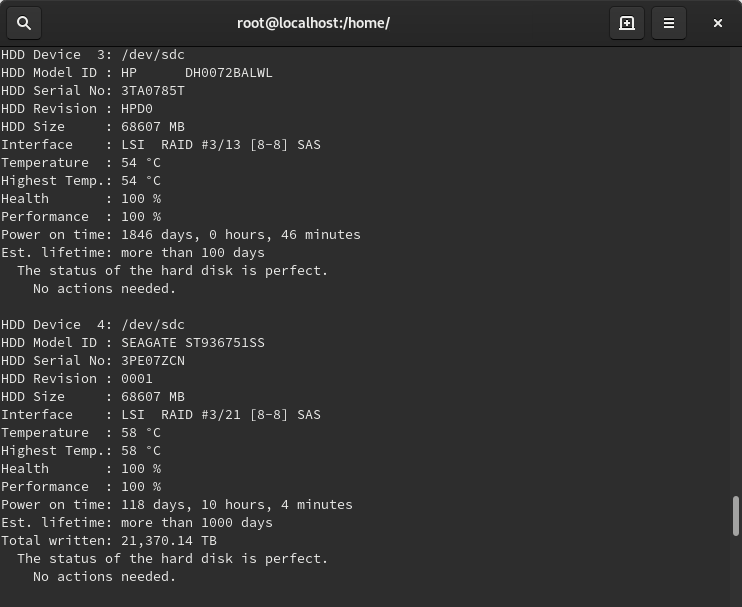
- size, model ID, serial number, revision and interface of all detected hard disks
- temperature, health and performance values
- power on time (days, hour, minutes - if supported)
Note: this is for informational purposes only, the value displayed under Windows (after some minutes of testing) may be more accurate - acoustic management settings (if supported and -aam or -setaam option is used
Command line switches
The switches are NOT case sensitive. Upper and lower case can be used to specify them.
- -h - displays help and usage information
- -r [report file] - automatically save report to filename (default: report.txt)
- -html - use with -r to save HTML format report (-html -r report.html)
- -mht - use with -r to save MHT format report (-mht -r report.mht)
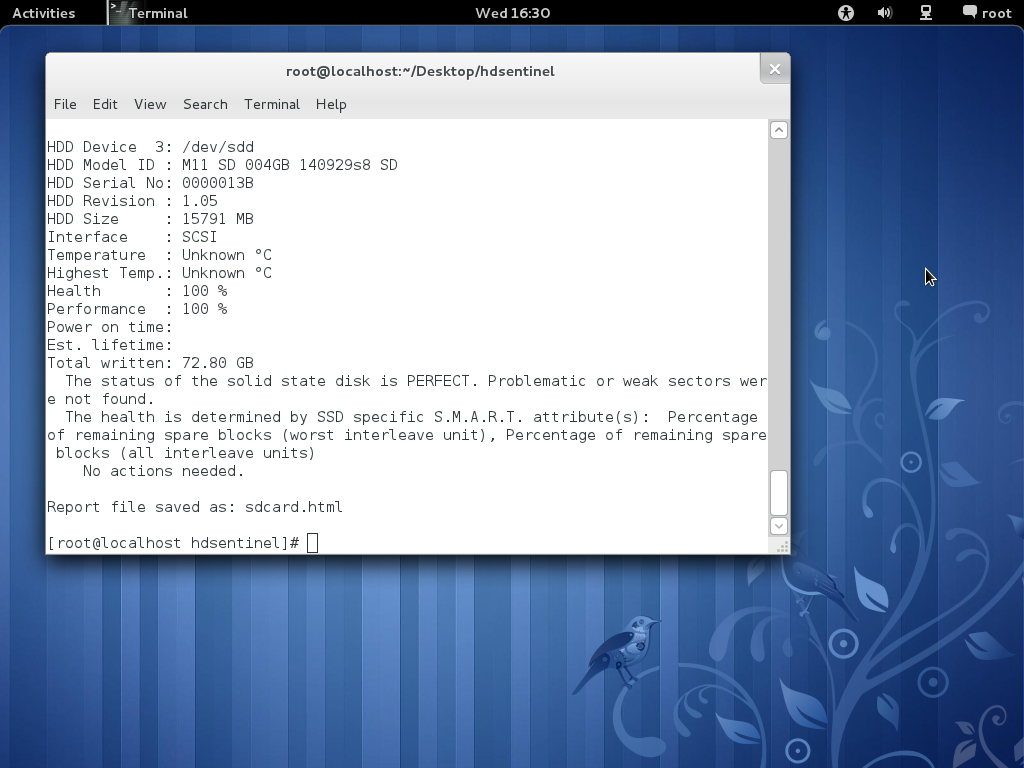
- -autosd - detect industrial SD card type and save flag file (see How to: monitor (micro) SD card health and status for more details)
- -dev /dev/sdX - detect and report only the specified device without accessing others
- -devs d1,d2 - detect (comma separated) devices in addition to default ones eg. /dev/sda,/dev/sdb,/dev/sdc
- -onlydevs d1,d2 - detect (comma separated) devices only eg. /dev/sda,/dev/sdb,/dev/sdc
- -nodevs d1,d2 - exclude detection of (comma separated) devices eg. /dev/sda,/dev/sdb,/dev/sdc
- -dump - dump report to stdout (can be used with -xml to dump XML output instead of text)
- -xml - create and save XML report instead of TXT
- -solid - solid output (drive, tempC, health%, power on hours, model, S/N, size)
- -verbose - detailed detection information and save temporary files (only for debug purposes)
- -aam - display acoustic management settings (current and recommended level)
- -setaam drive_num|ALL level(hex)80-FE|QUIET|LOUD - set acoustic level on drive 0..n (or all)
80 or QUIET is the lowest (most silent) setting, FE or LOUD is the highest (fastest) setting
For example: hdsentinel -setaam 0 loud - Configures drive 0 to fastest (loud) setting. Same as hdsentinel -setaam 0 FE
Please send saved XML or TXT reports, questions or ideas to [email protected] to help improving this tool.
License
Hard Disk Sentinel Linux edition is FREE. You can freely distribute and use it to analyse hard disk status. However, if you like this tool and would like to keep it updated, please support further development by registering the Windows version of the software.
Usage of Hard Disk Sentinel Linux version
After downloading the file below, please follow these steps to use it:
- double click to open and decompress it to any folder
- open a terminal window and navigate to the folder
- change file permissions to make it executable by using chmod 755 HDSentinel
- launch it by entering sudo ./HDSentinel [options]
sudo is not required if you logged in as "root".
Examples
Optimize complete system for silence: hdsentinel -setaam all quiet
Optimize complete system for high performance (but louder disk access): hdsentinel -setaam all loud
Select a balanced level between silence and performance on drive 0: hdsentinel -setaam 0 C0
Note: some disks do not support balanced settings and they may select the most silent (80) or high
performance (FE) setting instead.
Please start hsentinel without parameters to see drive assignments (eg. /dev/sda) to drive indexes.
Due to the high amount of requests, it is possible to create minimal output which can be easily parsed and processed for further use. Some examples are:
List disk drives, temperature (in Celsius), health %, power on hours, disk model, disk serial, size:
hdsentinel -solid. Sample results:
  /dev/sda 42   3  4830 WDC_WD800JD-8LSA0   WD-WMAM9F937837   76324
  /dev/sdb 30 100  6128 ST3250624A          5ND3J94R         238472
  /dev/sdc 46 100 10982 WDC_WD2500JS-00MHB0 WD-WCANK8705209  238475
  /dev/sdd  ?   ?     ? GENERIC_CF_READER   9999                  0
  /dev/sde  ?   ?     ? GENERIC_SD_READER   9999               1963
List only temperature, drive, size:
hdsentinel -solid | awk '{print $2, $1, $7}'
  42 /dev/sda 76324
  30 /dev/sdb 238472
  46 /dev/sdc 238475
  ? /dev/sdd 0
  ? /dev/sde 1963
List only temperature, drive, model ID, highest temperature on top, drives without temperature information (for example card readers) removed:
hdsentinel -solid | awk '{print $2, $1, $5}' | grep -v "^?" | sort -nr
  46 /dev/sdc WDC_WD2500JS-00MHB0
  42 /dev/sda WDC_WD800JD-8LSA0
  30 /dev/sdb ST3250624A
List only health, temperature, drive, lowest health on top, drives without temperature information (for example card readers) removed:
hdsentinel -solid | awk '{print $3, $2, $1}' | grep -v "^?" | sort -n
  3 42 /dev/sda
  100 30 /dev/sdb
  100 46 /dev/sdc
Note that the spaces in hard disk model ID and serial number are replaced with underscore (_).
If you have any ideas, thoughts about the automatic processing of output or if you have complete script(s) you want to share with other users, please send a mail and it will be published on this page with the name and credits of the sender of the script.
Download Hard Disk Sentinel Linux
Hard Disk Sentinel 32-bit Linux console version - executable, gzip-compressed
Hard Disk Sentinel 64-bit Linux console version - executable, zip-compressed
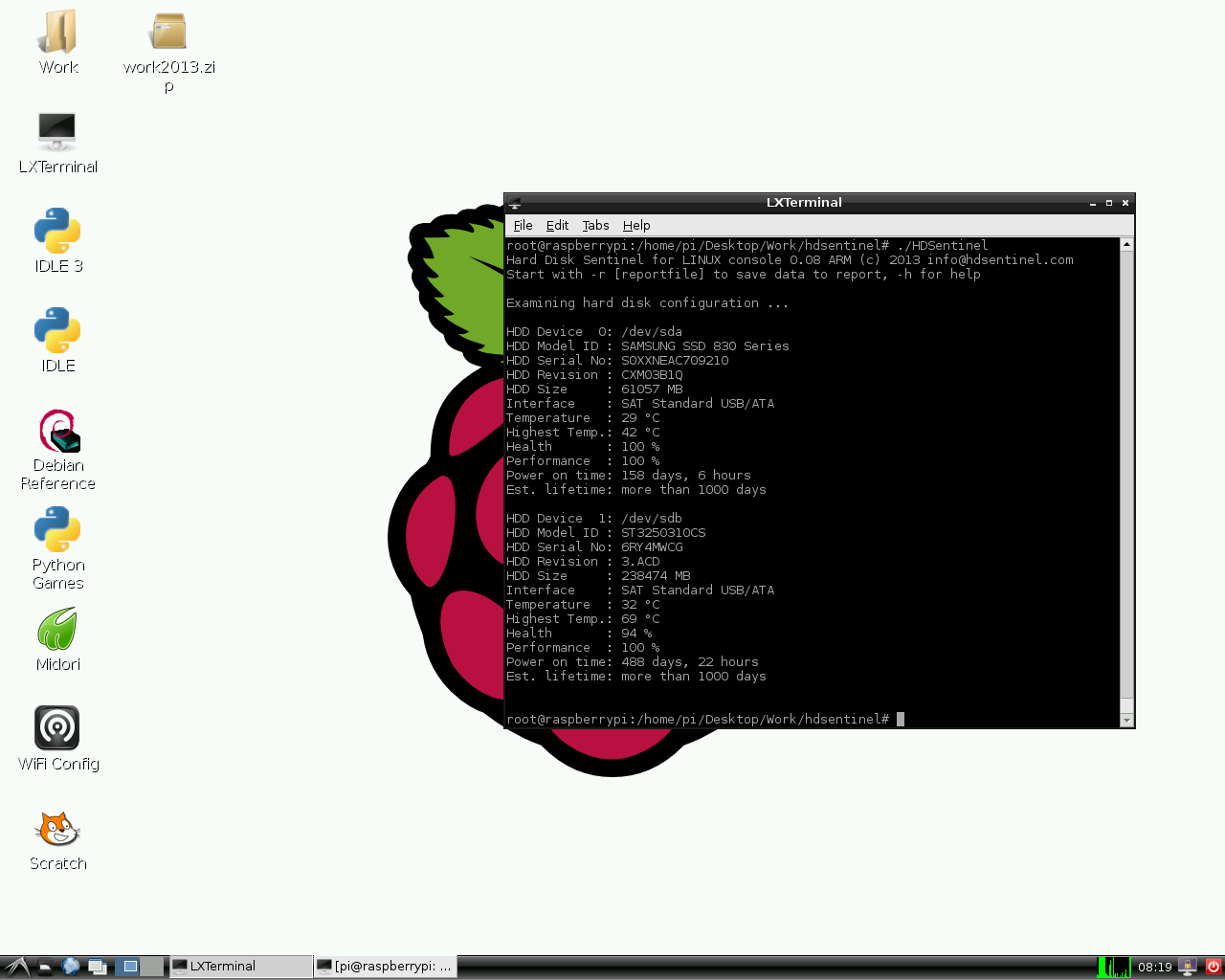
Hard Disk Sentinel Linux console version for Raspberry PI (ARM CPU) - executable, gzip-compressed
Hard Disk Sentinel Linux console version for NAS boxes (ARMv5 CPU) - executable, non-compressed (see notes below)
Hard Disk Sentinel Linux console version for NAS boxes / Raspberry PI 4 64-bit (ARMv8 / ARM64 CPU) - executable, zip-compressed
Can be used with Synology D220j and other Synology NAS models with ARMv8 CPU
Compatibility
Kernel support is required to detect and display information about SATA hard disks. This version was successfully tested under the following systems:
- blackPanther OS v16.2 SE
- CentOS 5, 6 and newer
- Fedora 5, 6, 7, 8, 9, 10, 15 and newer
- Ubuntu 8.04 server kernel 2.6.24-16-server, 9.04
- Kubuntu 8.04
- Xubuntu 8.04
- Slackware 11.0
- UHU Linux 2.1
- SuSe 10.2, SuSe 10.3 (SuSe 10.0 - NOT working, reports wanted)
- Debian Lenny 5.0
- Debian GNU/Linux 6.0.1 Squeez
- Raspberry PI (ARM CPU)
- NAS boxes (ARM CPU): WD MyBook Live, D-Link DNS-320LW two bay Sharecenter, D-Link DNS-327L two bay Sharecenter, Seagate FreeAgent DockStar, Zyxel NSA320, Synology DS211. DSM 5.0-4493 update 3
Successfully tested with Adaptec SCSI controllers and SCSI hard disks, and with external enclosures built with different USB-ATA bridge in chips USB Hard disks, hard disk enclosures. Supports LSI / Intel / IBM RAID controllers too.
Updates
0.20
| 7/7/2023 |
|
0.19
| 28/2/2021 |
|
0.18
| 7/11/2019 |
|
0.17
| 30/8/2017 |
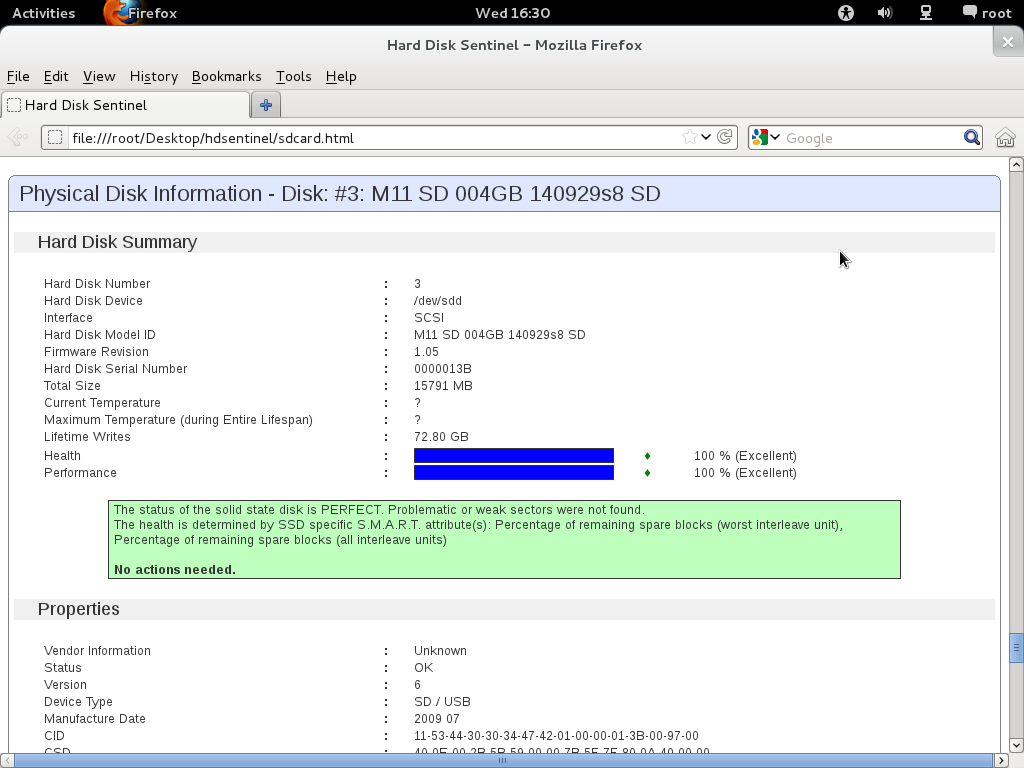
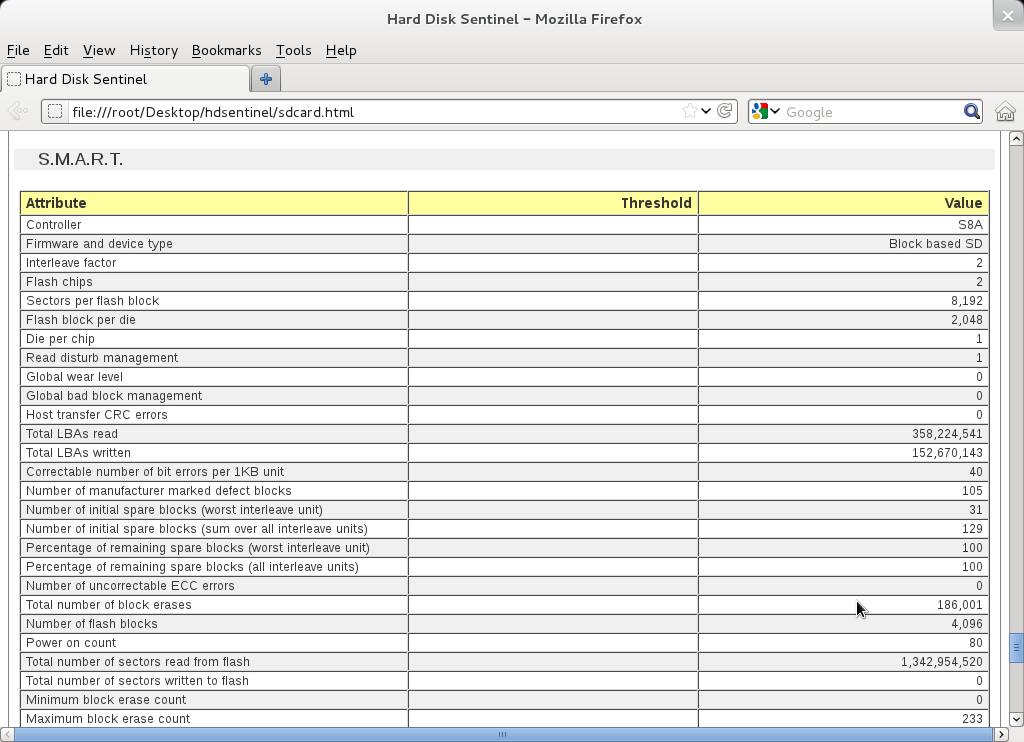
Note: with Raspberry PI, it is not possible to detect internal memory card status, just status of card in external USB memory card reader. |
0.16
| 13/9/2016 |
|
0.08 - Download Hard Disk Sentinel Linux 0.08 version
| 6/3/2012 |
|
0.03 - Download this version
| 21/7/2009 |
|
0.02 - Download this version
| 25/7/2008 |
|
0.01 - Download this version
| 29/4/2008 |
|
Raspberry PI
NAS boxes with ARM CPU
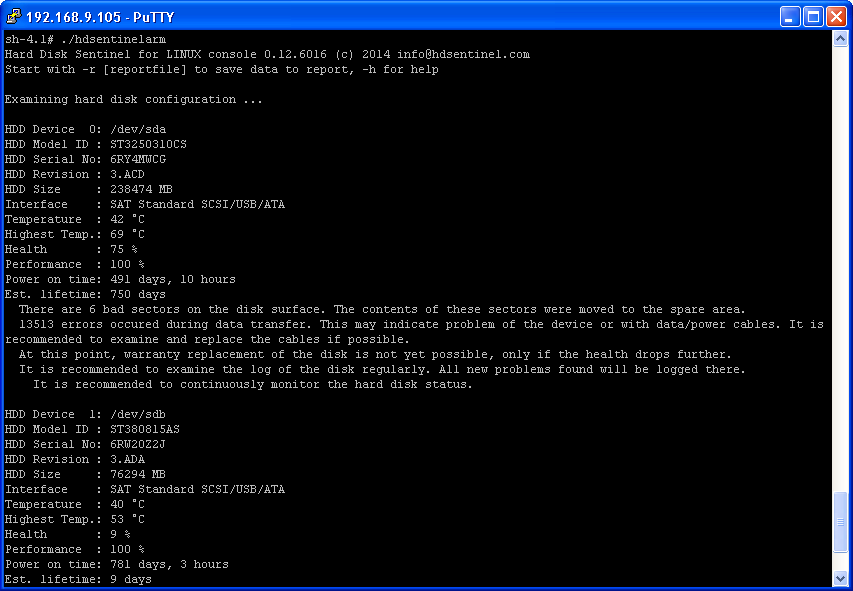
The Linux version of Hard Disk Sentinel also available for NAS boxes built with ARM CPUs. The NAS box should have telnet / SSH access in order to download and use this tool.
To get Telnet / SSH access, special firmware version(s) or additional packages (like the fun_plug may be required. Putty tool is also required to connect the NAS box and access its console.
Usage:
get Telnet / SSH access to the NAS box and log-in to your device by using putty.exe
enter wget http://www.hdsentinel.com/hdslin/armv5/hdsentinelarm to download the latest ARMv5 CPU build.
To simplify things, the file is not compressed.enter chmod 755 hdsentinelarm to set the proper permission (executable). You may use chmod +x hdsentinelarm instead.
enter ./hdsentinelarm to start the Hard Disk Sentinel on the NAS and get hard disk status information.
Tested on:
WD MyBook Live
D-Link DNS-320LW two bay Sharecenter
Seagate FreeAgent DockStar